 YanoSec
A browser can display data and let a person edit it, while a server protects stored records. To follow a web app, identify those roles separately: what the browser holds, what the server decides, and what the database stores. The fictional app below includes all three.
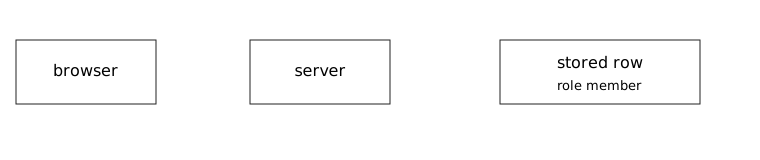
The browser is the client showing the interface. The server receives requests and chooses responses. A database stores organized data; a row is one record, as in the earlier SQL lesson. These roles can run on different computers or on the same computer. Their responsibilities still differ.
The small response file uses JSON, JavaScript Object Notation, which you first read in the Python lesson. JSON is data text. An object contains named values between braces; each quoted name, also called a key, is followed by a colon and its value. A string is quoted text. A boolean is true or false, a value expressing one of two states. null is a distinct marker commonly used when there is no value to supply; an array is an ordered list in square brackets.
Before you begin
- Recommended first
- Hosts, LANs, and the internet, Ports and the services behind the common ones, TCP, UDP, and the three-way handshake, Variables, strings, lists, dicts, conditions, loops, curl, and one HTTP request from Python
- Estimated time
- 15 min reading, 15 min activity. Setup and optional practice may take longer.
- Where you work
- Use the complete printed cards with paper or a text editor for notes. No account, external target, or installation is required. A local HTML file can be read as source; that reading does not perform an HTTP exchange. The curl lesson gives a separate optional loopback-lab procedure.
- Without a lab
- The cards provide the names, byte counts, requests, responses, and stored records needed for the activity. Make a prediction and compare with the supplied reasoning; a practical run can wait. Reading works without JavaScript. Answer checking needs JavaScript and a secure context, normally HTTPS or a local preview. Saving additionally needs usable browser storage.
After this lesson you can:
- Trace a request from the browser through the server to a stored row.
- Read a small JSON object as text with named values.
- Keep a client-supplied role off the decision that protects the row.
01Example
Read the worked object by pairing each key with its value. The id and title values are strings, open is a boolean, and closed is null. This is authored data, not output from a parser. The app-flow diagram is for the later activity object, whose id and role are different.
{"id":"n1","title":"note","open":true,"closed":null}

id and title are strings. open is a boolean. closed is null.
The server would store a row. The browser would show text.02Who stores the row
A session connects related requests using information the application retains, often after a sign-in. In this model, that information is stored on the server. A cookie carries the identifier lab-sid-04, and the server uses it to find the session. The identifier is not the role itself. Real session identifiers are sensitive because a service may use them as evidence of a signed-in session.
Authentication is checking identity. Authorization is deciding whether that identity may perform an action. The model server reads its trusted session and stored row to make that decision. It should not accept a client-supplied role as proof of permission.
The stored row says member while the browser JSON says editor for id n4. The difference shows why a display claim and a trusted stored fact must be kept separate. Editing or displaying the browser object does not itself change the server’s row. The server must enforce the permitted action when it handles the request.
In JSON, keep names unique and read the value’s type as well as its text. true is a boolean, while "true" is a string. Data exchanged between systems normally uses UTF-8. Use a JSON parser to read JSON; do not evaluate it as program code with eval. Parsing returns data rather than executing it as a program.
Select exact JSON fields to read their types, then separate browser display from storage and trusted server access decisions.Model. A teaching model drawn by hand. It shows the idea, not real tool output.
Read the full explanation below.
Worked browser-held JSON data
{"id":"n1","title":"note","open":true,"closed":null}
Conceptual responsibility labels
Browser: show text
Server: decide access using trusted state
Database: retain a stored row
The quoted n1 and note values are strings.
This object alone does not establish persistence.
The quoted n1 and note values are strings.
Follow the explanation
- The quoted n1 and note values are strings.
- true is a boolean and null is null, distinct from quoted text.
- Browser display and server/database storage are separate responsibilities.
- The server needs trusted state for access decisions.
Read every state and value
1. The quoted n1 and note values are strings.
- Selected parts
- String id · String title
- Explanation
- strings
2. true is a boolean and null is null, distinct from quoted text.
- Selected parts
- Boolean value · Null value
- Explanation
- types
3. Browser display and server/database storage are separate responsibilities.
- Selected parts
- Display responsibility · Persistence responsibility
- Explanation
- persistence
4. The server needs trusted state for access decisions.
- Selected parts
- Access decision
- Explanation
- access
03Read the object
Compare the new activity object in response.json with the complete app-flow card. Read both before deciding which role the server should use. No live account, parser, or database is required.
Original fictional app. Use the supplied roles and row as a model.

Browser
Shows the page. It can hold a JSON object the page received or edited.

Server
Receives the request, reads the session, and decides access.

Database row, stored with the server
id n4
role member

Session
The server stores the session.
The cookie holds the identifier lab-sid-04.
The identifier is sensitive on a real system. This value is fiction.
The cookie does not hold the role.

Browser object
response.json claims a different role for the same id.

Check: the stored role is member.
{
  "id": "n4",
  "role": "editor"
}
- Name the three roles in the diagram and text: browser, server, and stored database row. Trace the request to the server and its lookup of trusted state.
- Read response.json. Its id value is the string n4 and role value is the string editor. The quotes indicate text, not commands.
- Compare with the stored row: id n4 and role member. Record member as the stored role and lab-sid-04 as the session identifier, keeping them separate.
- Explain why a server must use trusted state to enforce access instead of accepting the browser’s role claim. Stop with the comparison; no file here signs in or changes an account.
04Optional challenge
For about ten extra minutes, classify each value in the worked object, then classify the two values in response.json. Check: the worked object has two strings, a boolean, and null; the activity object has two strings. As a new paper example, ["note", false] is an array containing a string and a boolean.
05Fresh cases for the checks
Use these fictional cases for the checks below. They have different inputs from the worked examples. Read them here or make notes; no installation or external service is needed.
Application case A: independent request modelOwned fixture. An original file made for this course. Follow the activity's instructions in your own lab.
Browser request JSON: {"id":"r8","role":"editor","enabled":false}
Cookie identifies session session-cedar.
Trusted server session: user Pia.
Stored row r8: owner Sol; role member.
Rule: only an authorized editor may change r8. Pia has no editor grant.
Flow: browser sends request → server reads trusted session and stored permissions → decision → protected data only if permitted.
06Explain your prediction
Optional written self-check: Trace browser, session lookup, trusted permissions and data separately. Name JSON values and types accurately, and keep a parsed object distinct from executed program code.
07Common mistakes
If editor becomes the trusted stored role in your notes, identify which file supplied that value. It belongs to the browser object; the model’s stored row says member.
If the cookie is described as containing the role, separate identifier from session and row. The cookie’s fictional value locates server-held state; it is not the stored role.
If JSON text becomes a command to run, return to the key/value reading. These files supply data for interpretation, not instructions to execute.
References
- RFC 8259: The JavaScript Object Notation (JSON) Data Interchange Format
Sections 3–5 describe values, objects, and arrays; sections 8 and 12 cover encoding and safe parsing.
- RFC 6265: HTTP State Management Mechanism
The introduction and section 4 explain the cookie exchange used by the fictional session model.